
- RamboBet Login: Access Your Existing Account
- Choose the Correct RamboBet Account Access Route
- How to Complete Your RamboBet Login
- Check Saved Login Details
- Recover a Forgotten Password
- After Setting a New Password
- Recover Access When Your Contact Details Have Changed
- RamboBet Login on Mobile and Desktop
- Check Credentials and Browser Settings Methodically
- Understand Login, Contact Confirmation and Identity Checks
- Use Your Existing Account Rather Than Registering Again
- Protect Your Account and Request Useful Assistance
RamboBet Login: Access Your Existing Account
To complete your RamboBet login, use the account website associated with your original registration and enter your existing credentials. If you have forgotten your password, follow the recovery process provided by that account service rather than registering again.
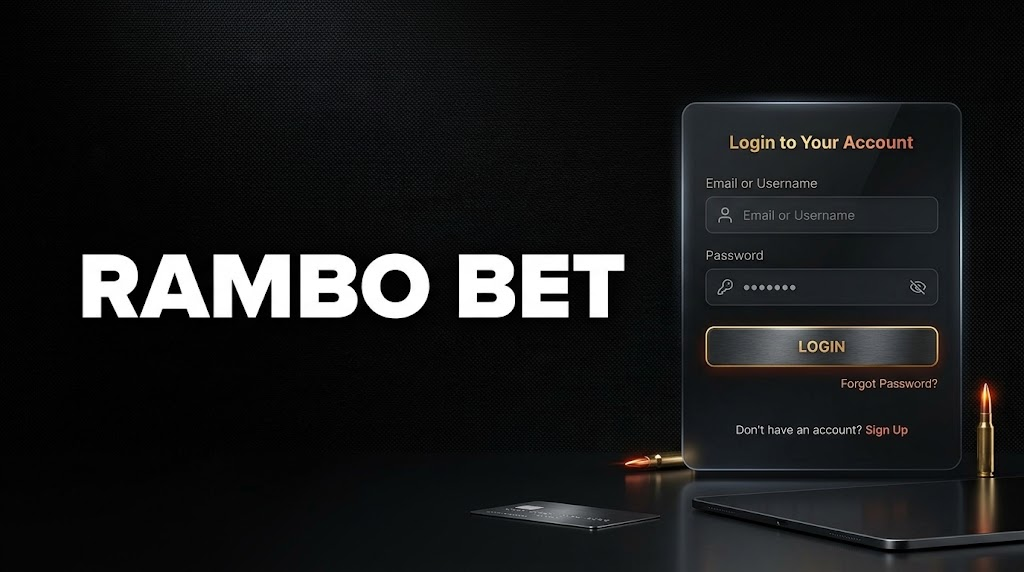
The RamboBet UK website displays Sign in and Registration controls. These lead through an onward link, so confirm the destination before entering personal information. Your password belongs on the account service where you registered, not in a promotional form or a general enquiry.
Choose the Correct RamboBet Account Access Route
A page describing RamboBet and a page authenticating your account serve different purposes. Reading information, viewing offers or selecting a sign-in link does not itself establish an account session.
For an existing account, start with a previously verified bookmark, your registration records or an address you have already used successfully. Compare the complete domain name, rather than relying on the logo or page design. Similar branding can appear on different websites.
If an onward link opens another domain, establish that it belongs to your account provider before submitting your credentials. HTTPS protects the connection, but it does not prove who operates the website.
| What you are trying to do | Appropriate starting point | What to confirm |
|---|---|---|
| Return to an existing account | The account address associated with your registration | The domain and account provider match your records |
| Recover a forgotten password | Recovery instructions on the account sign-in page | The request concerns your existing account |
| Read RamboBet information | The supplied RamboBet UK website | Whether a link takes you to another service |
| Ask about a link on this website | Its Contact Us page | Whether the enquiry concerns the website or your player account |
How to Complete Your RamboBet Login
Prepare your existing account details before opening the sign-in form. Use the identifier requested by that form, which may differ from the name displayed on your profile.
- Open the account website associated with your registration.
- Check the domain before entering any credentials.
- Enter the account identifier requested on the sign-in form.
- Enter your current password, checking capital letters and accidental spaces.
- Complete any additional authentication step presented by the account service.
- After signing in, confirm that the profile belongs to you before making changes or authorising a transaction.
Submitting a login form should not require a new deposit. If a page asks you to fund an account to recover your password, verify that request independently before proceeding.
Check Saved Login Details
A password manager can fill an outdated password after you have changed it. It can also select credentials for a different account if you have several saved entries.
Check the saved website address and account identifier. After a successful password change, update the existing password-manager entry so your next attempt uses the new credentials.
Recover a Forgotten Password
Use the recovery option presented by your account service. Follow its instructions and provide only the details requested to identify your existing account. Do not assume that recovery uses email, text messages or a particular type of code unless the form specifies it.
If the process sends an email, check the inbox associated with your account, including its junk folder. Search for the recovery message and compare its sender and destination link with the service you have just used.
After Setting a New Password
Return to the verified sign-in page and use the new password. Choose a unique password that you do not use for your email, banking or other accounts.
If you requested recovery several times, follow the service’s instructions about which message remains valid. Avoid opening multiple recovery forms and switching between them, as this can make it harder to identify the current request.
Never send a password, recovery link or authentication code to another person. These can grant access to your account.
Recover Access When Your Contact Details Have Changed
A forgotten password and a lost recovery channel require different approaches. If you can no longer access the email address or telephone number connected to your account, repeating the standard recovery request may not resolve the issue.
Contact the account provider through its established help route and explain which detail has changed. Ask how to confirm ownership and update the recovery information. Supply identity documents only through the designated process.
Do not change other profile details simply to make them match a new email address or telephone number. Account ownership should be established using accurate information about the original registration.
If your email account may have been compromised, secure it as well. Someone with access to that inbox may be able to receive password-reset messages.
RamboBet Login on Mobile and Desktop
On a phone or tablet, use the same verified account address associated with your registration. A different device does not require a new account.
Check mobile autofill carefully. A keyboard may capitalise the first character, insert a space or substitute a saved address. If a field is difficult to read, enlarge the page before submitting rather than repeatedly guessing what it contains.
On desktop, check Caps Lock and the keyboard language. Passwords containing symbols can be entered differently when the keyboard layout changes.
Keep your browser updated and use a connection you control where possible. On a shared device, avoid saving credentials and sign out when you finish. Closing a tab alone may leave the session active.
Check Credentials and Browser Settings Methodically
Start with the simplest checks: the account identifier, the password and the website address. Change one thing at a time so you can identify what resolved the problem.
Repeatedly submitting variations of a password is less useful than following the recovery process. If the page displays an instruction, read it before making another attempt.
| What you see | What to check first | Practical next step |
|---|---|---|
| Credentials are rejected | Typing, spaces, keyboard layout and saved details | Correct a clear mistake or use password recovery |
| A saved password no longer works | Whether the password was recently changed | Update the saved entry after confirming the new password |
| A recovery email has not appeared | The registered inbox and junk folder | Follow the recovery page’s resend instructions |
| The form returns to the same screen | Whether an error message explains the result | Record the message before testing browser settings |
| Sign-in works in one browser only | Stored site data and browser extensions | Test a current browser with default settings |
| The form is difficult to use on mobile | Page zoom, keyboard behaviour and browser version | Adjust the view and check entries before resubmitting |
A private browser window can help test whether stored site data is affecting the form. It does not make an unfamiliar website trustworthy or replace account authentication.
If you clear browser data, target the relevant site where possible. Clearing cookies can end an existing session, so make sure you have your current credentials first.
Understand Login, Contact Confirmation and Identity Checks
These processes answer different questions. Login authenticates an attempt to access an account. Contact confirmation establishes control of an email address or telephone number. Identity verification checks who holds the account.
A successful login does not necessarily complete every account check. Likewise, confirming an email address does not establish age, identity or payment ownership.
If the account service requests further information, identify exactly what it needs and where it should be submitted. Use accurate details that match your records. Do not send identity documents through a general enquiry unless the provider has confirmed that this is its designated verification route.
An account check is separate from password recovery. Resetting a password should not be treated as completing an outstanding identity request.
Use Your Existing Account Rather Than Registering Again
If you have previously registered, recover that account before considering another registration. A new account does not restore the original balance, transaction records or account history.
The website’s Terms and Conditions address personal account use and additional registrations. They instruct readers who believe they have registered more than once to make contact before using another account.
Do not share an account or use someone else’s details to solve a sign-in problem. If you are unsure whether registration was completed, ask the account provider to help establish the status of the original attempt.
Protect Your Account and Request Useful Assistance
Use a unique password and keep access to your recovery email protected. Where the account service offers additional authentication, follow its setup instructions and store recovery information somewhere private.
Before submitting credentials, make these checks:
- Confirm the complete website address.
- Check that autofill has selected your own account.
- Keep passwords and authentication codes out of messages and screenshots.
- Avoid saving login details on shared devices.
- Sign out after using a device that other people can access.
If you notice unfamiliar activity, secure the account and its recovery channel, then contact the account provider. Record the details of any transaction you do not recognise without sharing full payment credentials.
For an enquiry about the supplied website or its onward links, use its Contact Us page. For player-account recovery, use the help route belonging to the service that holds your account.
A useful assistance request includes the website address, the exact error message, your device and browser, and the steps already attempted. Explain whether you still control the registered recovery channel and state the outcome you need, such as password recovery or confirmation of the correct account address. This gives the recipient a clear issue to investigate without exposing your credentials.
Continue to the RamboBet Casino Account Page
Continue to the sign-in page to open the current player offer.

Recommended Bonus Offers November 2026